

OK, so it's not just as simple as adding a single button, but Oracle has provide the step-by-step, Oracle-By-Example document with how to build an Orchestration which can then be attached to a Button via Form Extension!
This is a link to the OBE itself (which Oracle posted about last week in LinkedIn).
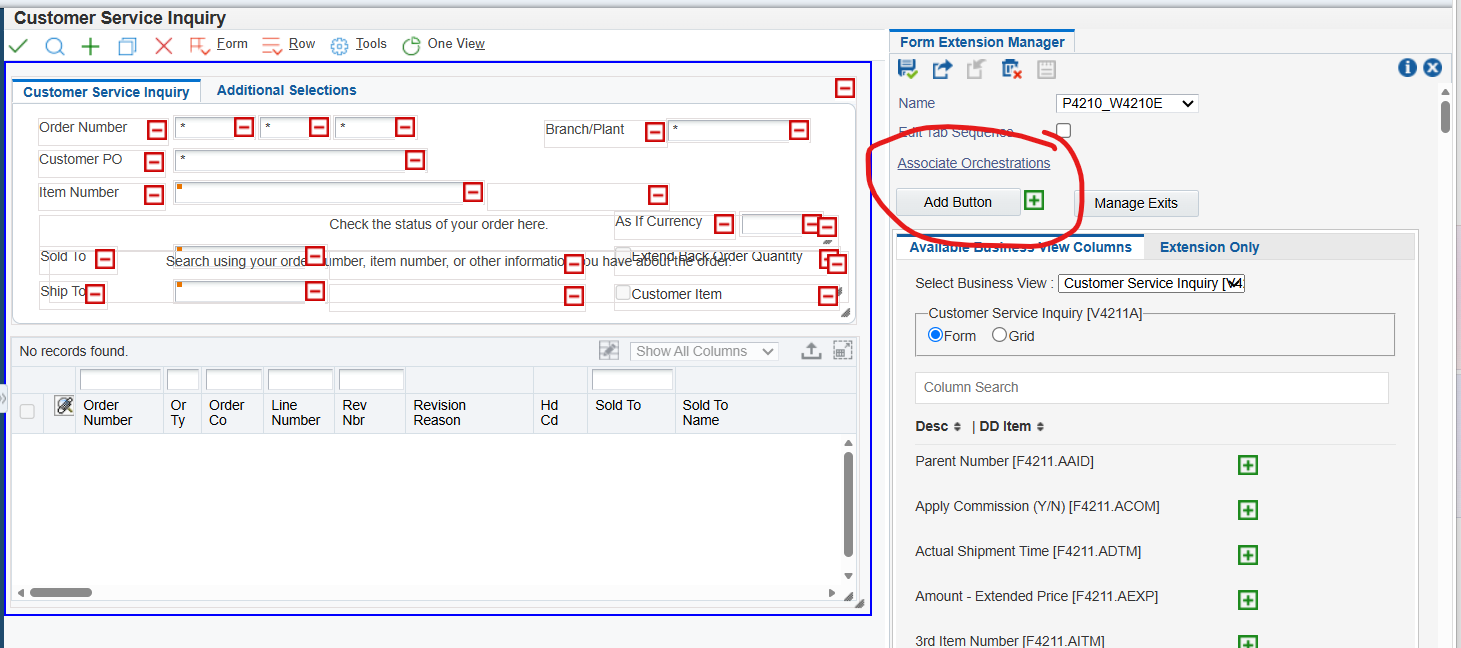
Then, to add a button in P4210, for example, open Form Extension and click this Add Button here:
You can move it and rename it. Then you can attach the Orchestration to this button by clicking on Associate Orchestration here, making the Control on the button the Orchestration:
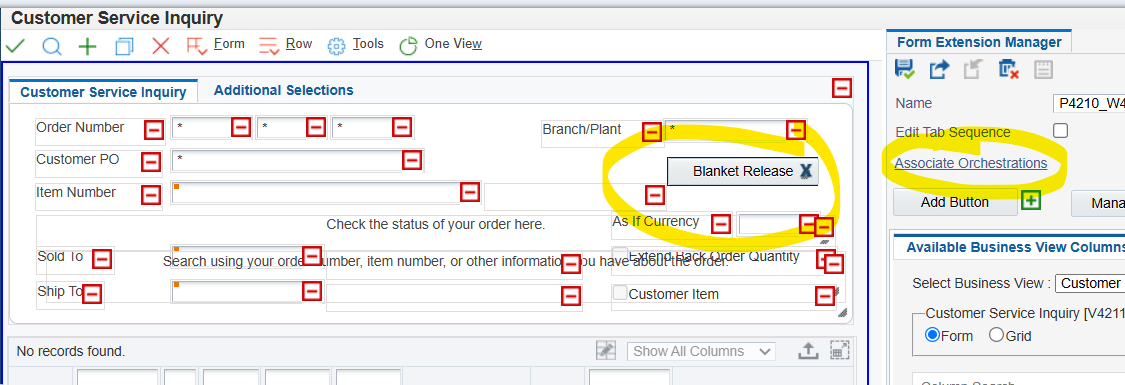
Now you can inquire on blankets, highlight one of the rows, and click the Button to trigger the Orchestration to release either the full or partial quantity, whatever your Orchestration was built to do.
Having trouble? Let us know, and we can help!