

Last week we built the Source and Basis versions we need to use to configure our allocation. These are those versions:

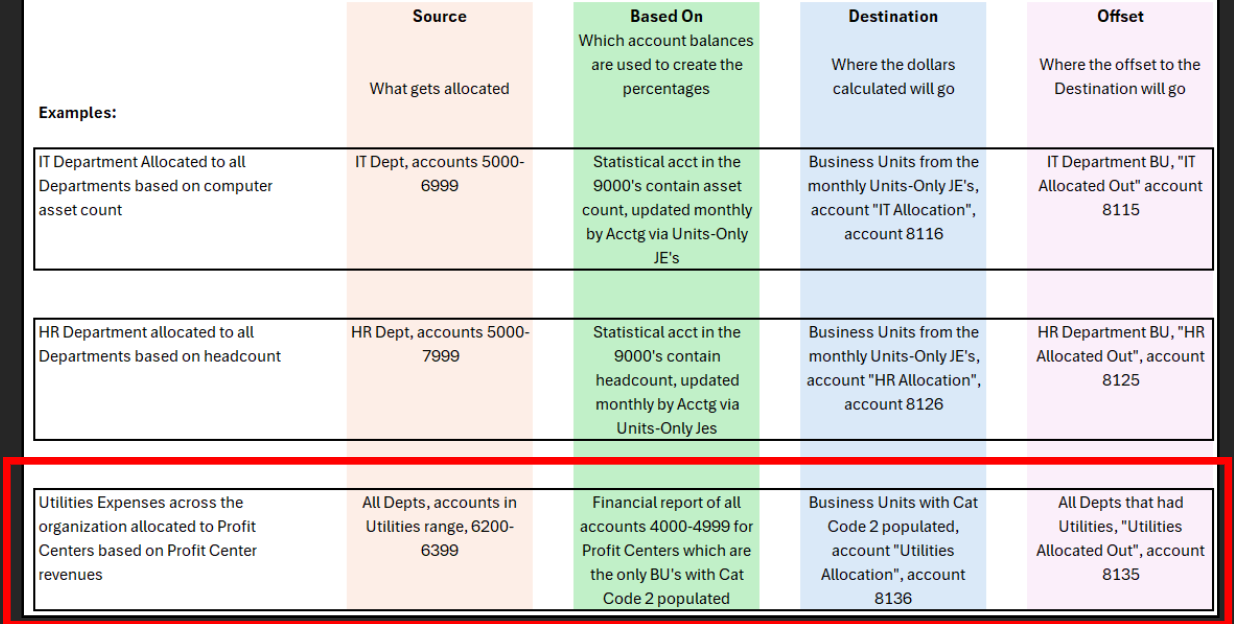
As a reminder, we’re setting up the example utility expense allocation to profit centers. This reference is important because we’ll need the Destination and Offset information now:
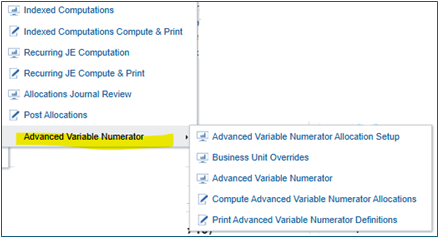
Click the Advanced Variable Numerator Allocation Setup
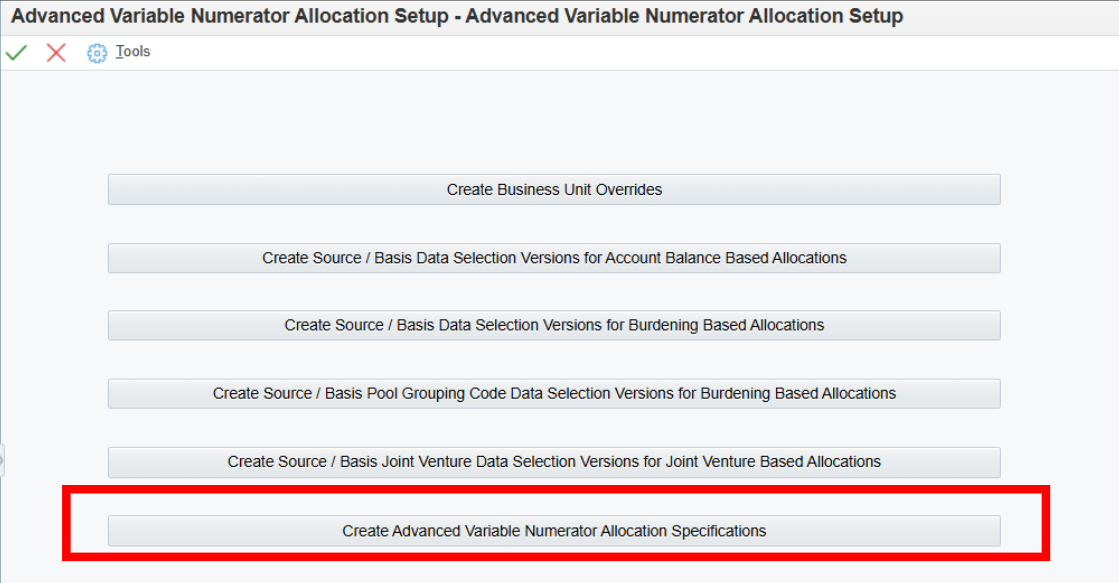
Last week we clicked on the Create Source / Basis Data Selection Versions for Account Based Allocations. This week we’re opening the Create Advanced Variable Numerator Allocation Specifications:
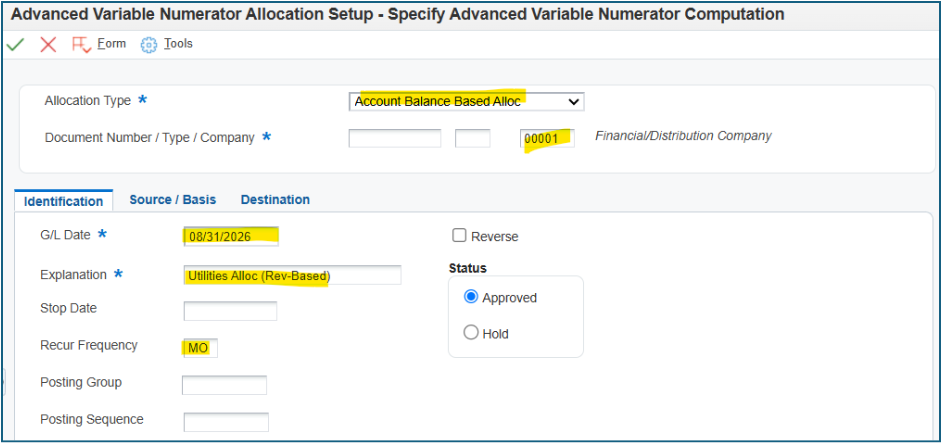
The header needs to be identified as an Account Balance Based Allocation, and the first tab needs these three fields populated:
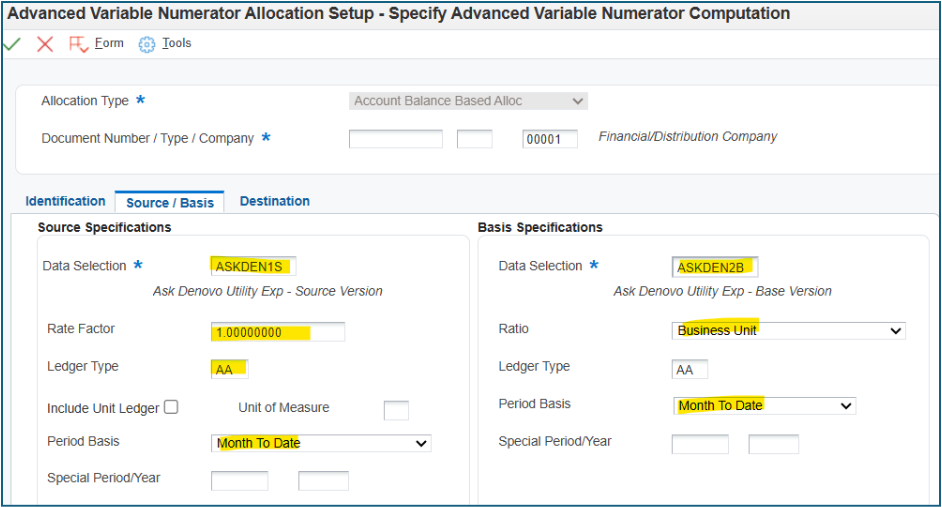
The second tab, Source/Basis, is where we plug in those versions we created last week. This is also where the added sophistication becomes evident, having the ability to look at Unit Ledger, specific UOM, and the Ratio Basis, although typically Business Unit, can use any BU Category Code.
The final tab, Destination, is the building of the accounts for the destination accounts and the Offset account. Our allocation needed to debit the profit centers used in the Basis (Ratio), so this is set to “Basis” along with the account 8136. Our allocation needed to credit the utility expenses wherever they were across all departments, thus why Source is checked, and the account 8135.
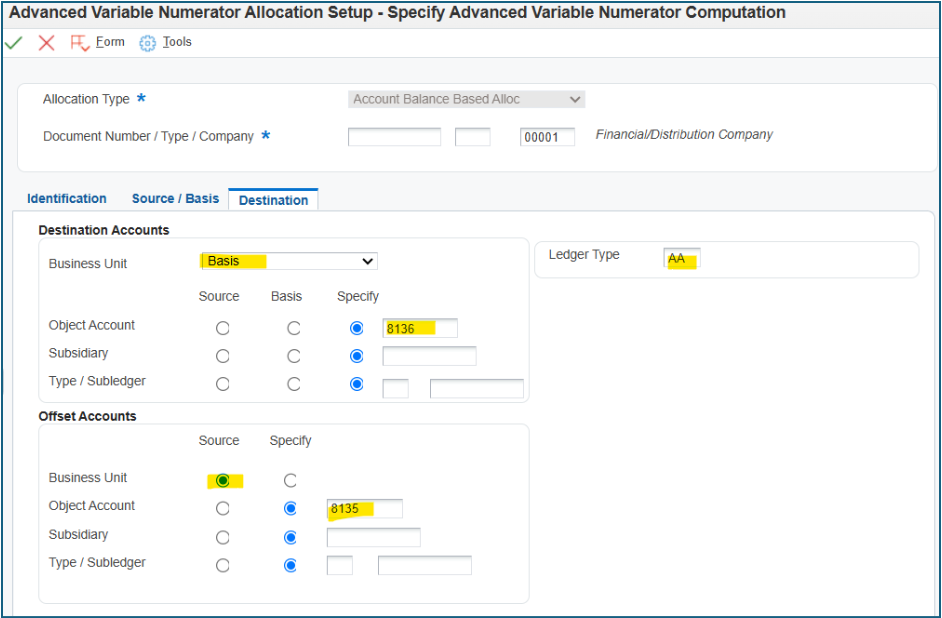
Save, and you’ve got an Advanced Allocation ready to be run!
One more time, here is that link again for the Oracle Knowledge Document KB386072, E1: 09: Overview of Advanced Variable Numerator Allocations
This is a link to a troubleshooting knowledge page specific to these allocations:
Do you have an allocation you think is too complicated for JDE to handle? We’ll take that challenge! Reach out, and we’ll get those allocations into JDE!