

This week Ask Denovo is covering Indexed Allocations. These can come in handy for not just allocating fairly straight-forward, one account to many, but this can also be used to build up sample budgets into alternate budgeting ledgers (the less-sophisticated approach to the full Budgeting, Planning, and Forecasting juggernaut).
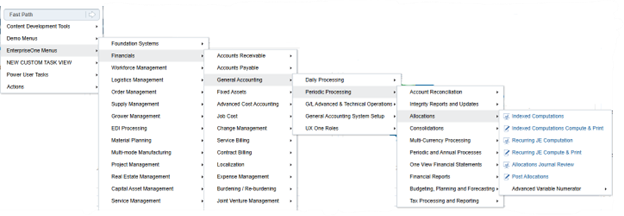
The Indexed Allocations can be found in the Allocations menu in the EnterpriseOne Menu Navigator tree:


Indexed Allocations are the next level of sophistication from Recurring Journal Entries due to their ability to add rate factors, work with multiple ledgers, and update F0911 or F0902 directly.
Indexed Allocation functionality is comprised of the two objects P09121 where the allocation is defined and R093021 which is used to build the allocation journal entry itself.
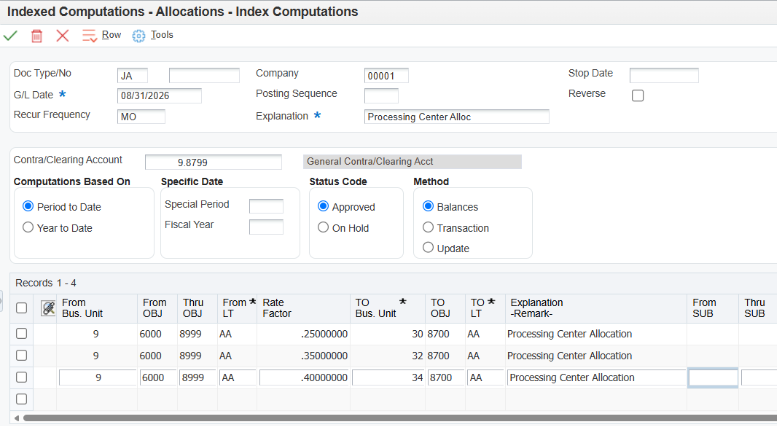
This is a basic Indexed Allocation to allocate a processing center’s expenses to the divisions based on a flat percent:
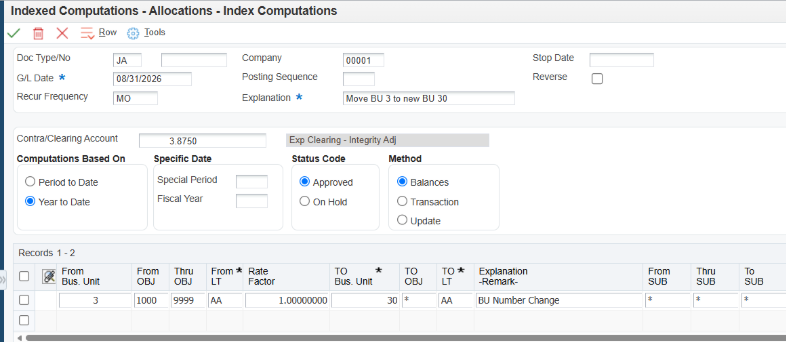
This is an example of a business unit change from 3 to 30 where the asterisks will “inherit” the same value in 3 when it goes to 30:
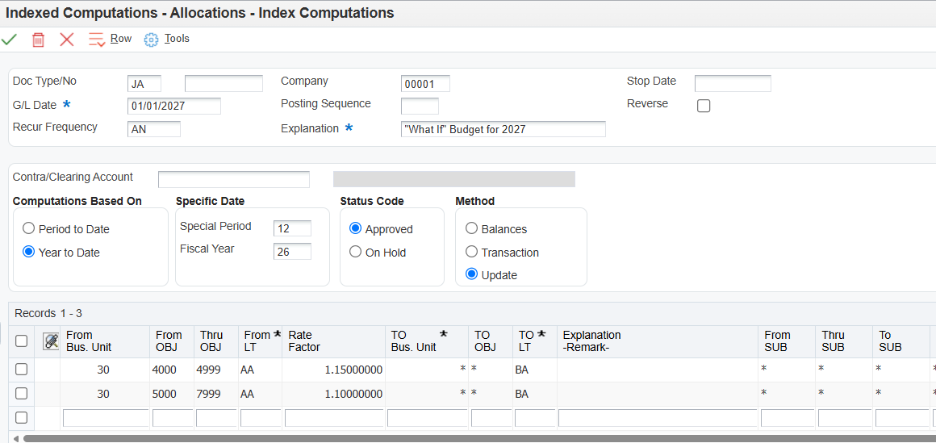
 This is an example of “what if” budget build out, adding a 10% increase in expenses and 15% increase in revenues. Notice it is Annual, it is set as an “Update” which will not generate a journal entry and thus not require a Contra Account, and it is reading AA ledger balances to then go to the BA ledger balances, account by account:
Once created, the R093021 is then run. Proof can be run before Final to ensure accuracy before generating the month's / quarter's / year's Recurring JE. When run in Final mode, the GL Date on the Indexed Allocation itself will be incremented forward based on your frequency and your Date Pattern.
The final step is to post the "D" batch in Batch Review.
For even more details on Indexed Allocations, check out the following Oracle Knowledge Documents:
(KB597452) E1: 09: Overview of Indexed Allocations (P09121/R093021)
Having trouble? Let us know, and we can help!